Gauss
Software for changing your screen brightness. It is aimed mainly at FPS gamers; adjusting the setting makes dark areas easier to see, as shown in the images below. Strictly speaking it does not change the brightness itself: it remaps only the dark color range of the screen to brighter colors, making relatively dark areas more visible without changing the monitor’s brightness at all (this is called gamma adjustment).
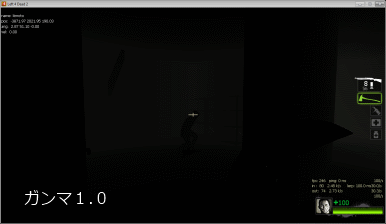
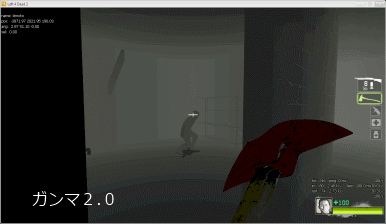
Features
- Change the monitor’s brightness (gamma value)
- In multi-monitor setups, each monitor can have its own brightness setting
- Keyboard shortcuts supported Defaults: Ctrl + PageUp to increase brightness, Ctrl + PageDown to decrease, Ctrl + Reset to restore the initial state (all configurable)
- Create desktop shortcuts that store the current brightness setting Double-clicking a shortcut instantly switches to that setting
Usage
On launch it sits in the system tray; use the right-click menu for detailed settings.
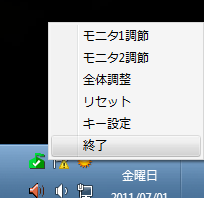
Still being written…
Download
Windows 7 (32/64-bit): Gauss_latest.zip
Note 1: The environment above is the only one I have tested, but it may work in other environments too.
Note 2: It will not work if your graphics card does not support gamma adjustment.