uc_card
· 🪦 retired
A Ruby library that fetches your unpaid credit card transaction history (usage statements) from the UC Card (www.uccard.co.jp) member site. It logs in to the member site with Mechanize, opens the statement page, parses the HTML with Nokogiri, and returns the results as Ruby objects.
Published as a gem, with a command-line tool of the same name bundled in.
gem install uc_card
uc_card   # 未払いの取引を一覧表示(オプションは一切ない)
Sample output from the README (merchant names are masked).
2012/01/28: ****** 500 1回払い 1回
2012/01/26: ****** 5940 1回払い 1回
2012/01/22: ****** 3357 1回払い 1回
Total: 11722
Used as a library, it looks like this. Instead of hard-coding the ID and password, it reads them from pit, a credential-management library.
require 'uc_card'
UCCard.start_with_pit("uccard.co.jp") do |card|
  puts card
end
Internals
UCCard.start takes care of the whole lifecycle from login through statement retrieval to logout, and the block receives a fully parsed instance.
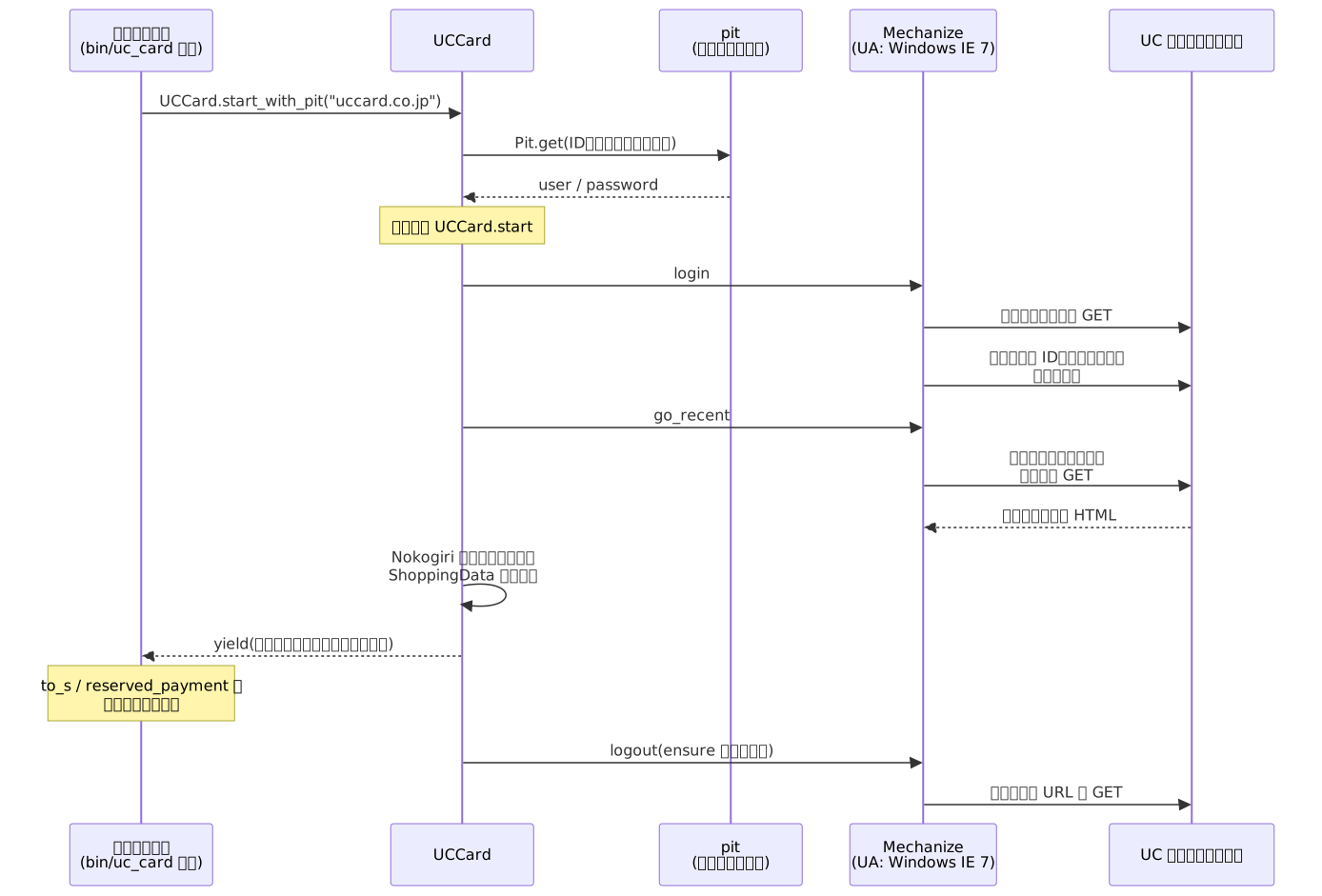
UCCard.start— proceeds aslogin→go_recent(statement retrieval) → block execution, and always callslogoutin anensure— even if an exception is raised along the way, the logout still runsUCCard.start_with_pit— a shortcut that fetches credentials from pit and passes them tostart. The bundledbin/uc_cardcommand is just 5 lines that call this andputs cardlogin— opens the login page with Mechanize (whose User-Agent claims to be “Windows IE 7”), fills in the ID and password form fields, and submitsgo_recent— fetches the “recent usage statement” page and uses Nokogiri to parse the rows of the statement table into an array ofShoppingData(8 fields: date, klass, name, value, usecase, times, note, payment). In the README’s sample output, “1回払い” is usecase and “1回” is timesShoppingData#money— strips non-digits from the amount string and converts it to an integer.reserved_paymentis the sum of these, which becomes theTotal:line (there is also areserved_payment_this_monthmethod, but it was left as an empty implementation)- The gem dependencies are three: mechanize, nokogiri, and pit
The README includes a note that if you get SSL certificate errors, you should locate the certificate path with ruby -ropenssl -e "p OpenSSL::X509::DEFAULT_CERT_FILE" and install an appropriate certificate.